Where everything is in Settings
Settings has six sections, one open at a time, and a Search settings box above them. Type what you're after in your own words, like xero, logo or 2fa, and it takes you to the card.
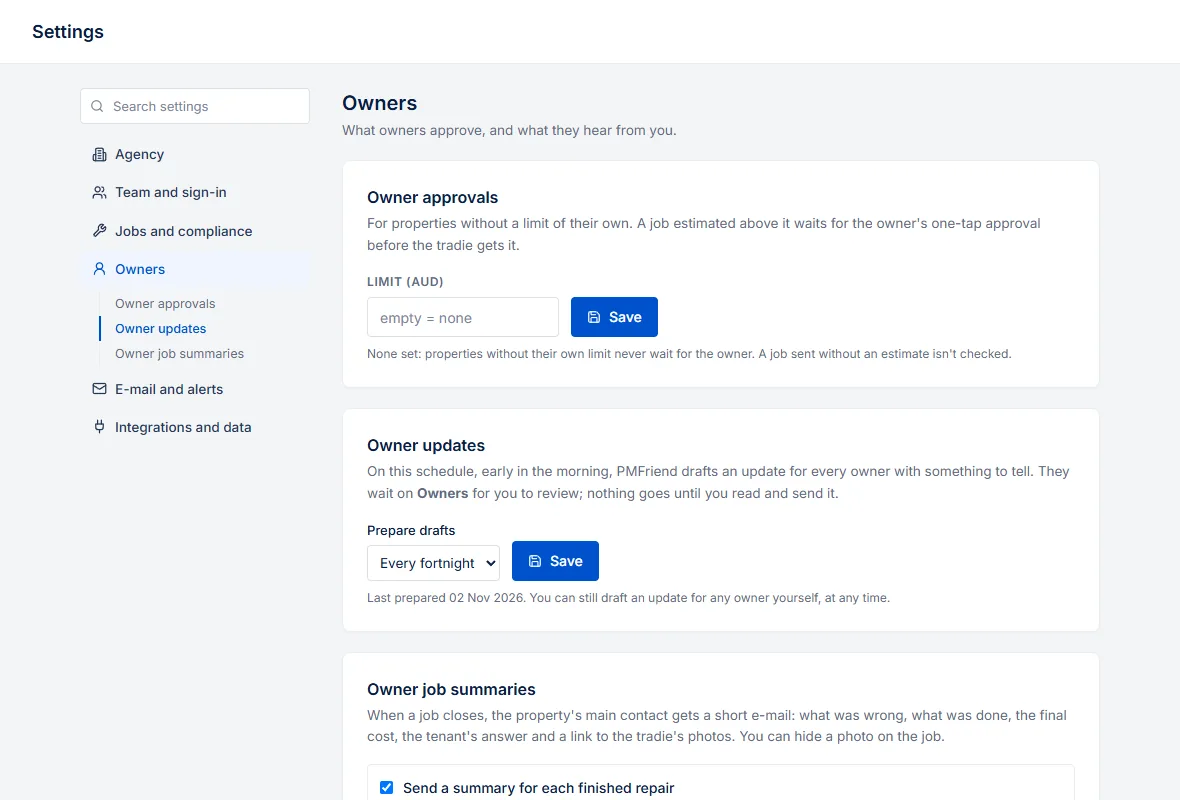
| Section | What's in it |
|---|---|
| Agency | Agency profile: name, ABN or CR number, currency, logo, and the Aqarat license in Qatar |
| Team and sign-in | Team members, Team invites, Company domain, Two-factor sign-in |
| Jobs and compliance | Automatic chasers, After hours and on call, Emergency on-call WhatsApp, Closing finished jobs, Compliance prices |
| Owners | Owner approvals, Owner updates, Owner job summaries |
| E-mail and alerts | Email intake, E-mail delivery, Notifications on this device |
| Integrations and data | Integrations, Accounting export, Connected assistants, Reporting API, Pilot report, Data export |
When this guide says Settings → Automatic chasers, that's the name of the card: search for it, or open its section.
Most settings apply to the whole agency, and only an agency admin can change them. Two-factor sign-in applies only to you, and Notifications on this device only to the phone or browser you're on; each says so on its card. Someone who isn't an admin doesn't see the settings only an admin can use, such as Team members, Accounting export and Data export.
The Agency profile asks for your CR number instead of an ABN once the currency is Qatari riyal, and adds the Aqarat license with its expiry. PMFriend warns you 60 days before it runs out.