Automatic chasers
"Has the plumber accepted?", "Did they actually go?", "What did it cost?" — each is a phone call a PM makes several times a week. The chasers make the first call for you, with the tradie's job link in it, and only hand the job back when the reminder doesn't work.
A job sent on Monday isn't accepted by Wednesday. A job booked for Thursday isn't marked done on Friday. A tradie marks a job done without a cost. PMFriend chases all three by itself. There are no rules to build: three fixed cases, each with a sensible delay you can change or switch off.
The three chasers
| Chaser | When it fires | Default delay |
|---|---|---|
| Not accepted | The job was sent to the tradie and no visit is booked. | 4 hours for an urgent or emergency job, 48 hours for any other |
| Not marked done | The booked visit is over and the job isn't marked done. | 24 hours after the visit ends |
| No final cost | The job was marked done without a final cost. | 24 hours after it was marked done, once |
How a chase goes
- The tradie is reminded first, by WhatsApp from your agency's number and by e-mail, with a fresh link to their job. On that link they pick a time, decline, mark the job done or add the cost: one tap away.
- If the same delay passes again and nothing has happened, you get a notification: "Not accepted yet — 18 Wattle Street, Paddington. Inner West Plumbing hasn't accepted the job sent on Wed 28 Oct. They were reminded on Fri 30 Oct. Call them, or send it to someone else."
- If the tradie can't be reached at all (no WhatsApp number connected, no e-mail on file, or neither got through), you hear straight away instead.
The no final cost chaser sends one reminder and stops; you only hear if it couldn't reach the tradie.
Each chase goes out once per job. If the job is sent again (say after a decline) or the visit moves, the clock starts again. A job whose clock started more than two weeks ago isn't chased: it's stuck for another reason, and the Attention inbox already has it.

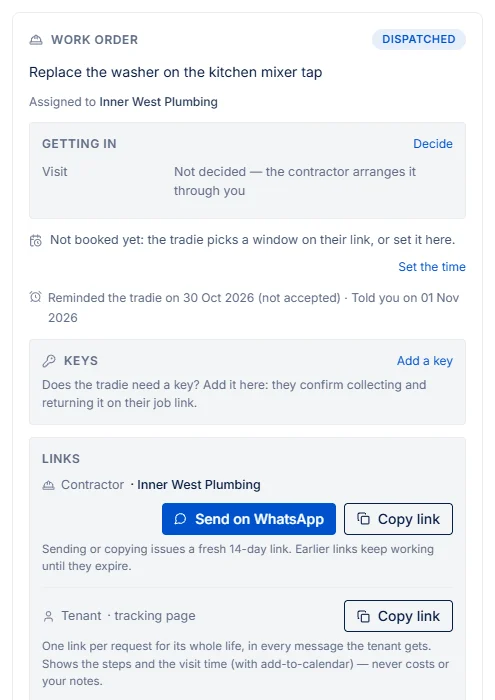
The work order shows what went out: Reminded the tradie on 30 Oct (not accepted) · Told you on 1 Nov.
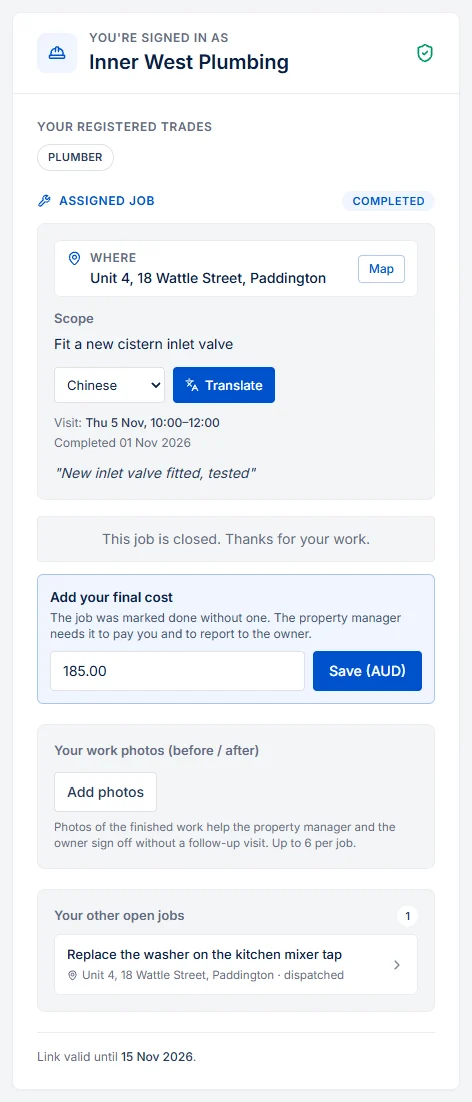
The tradie adds the cost on their link
A job marked done without a final cost shows Add your final cost on the tradie's job link. They type the amount and save; it appears on the job like any final cost, ready for the owner report and your accounting export. Once a cost is on file, this box is gone.
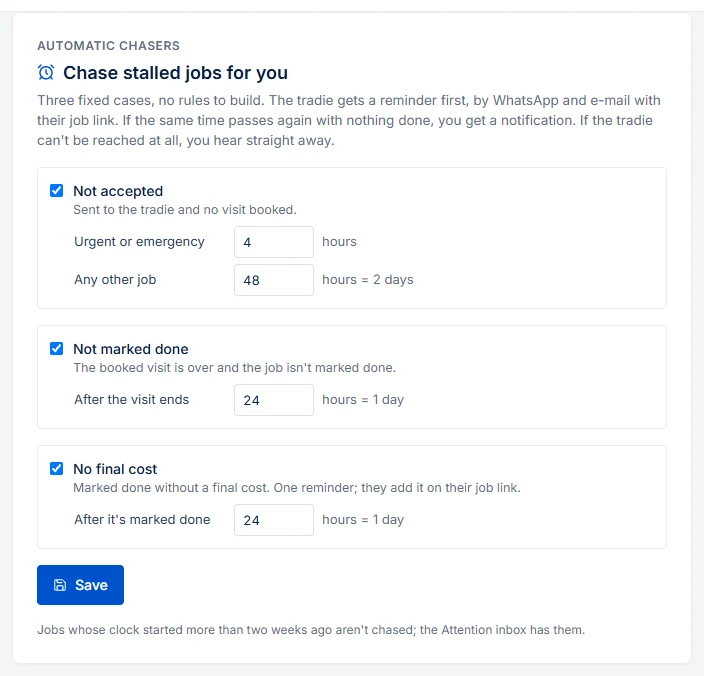
Switch them on, off, or change the delay
Settings → Automatic chasers (admins). Each chaser has its own switch and delay, in hours (1 to 336, so up to two weeks).
- New agencies start with all three on, at the defaults above.
- Agencies that were already on PMFriend before 1 Nov 2026 start with all three off, so no tradie gets reminders they didn't expect. Switch them on when you're ready.
- In the public sandbox the chasers are off, and when you switch them on there, no message leaves PMFriend.
Good to know
- WhatsApp reminders reach a tradie who has written to your number in the last 24 hours; otherwise the e-mail carries it. Every WhatsApp attempt shows in the tradie's message thread on the Contractors page.
- A reminder never changes the job: only the tradie (or you) moves it on.