Owner communications
"What's happening with my property?" calls take ~15 minutes each; digests answer before owners ask. And owner retention is the real money: keeping one 30-door owner from walking protects roughly $20,000+/yr in management fees. Transparency is the cheapest retention tool you have. Indicative figures; every portfolio differs.
The number-one reason landlords change agencies isn't price. It's silence. PMFriend keeps owners genuinely in the loop without adding to your workload.
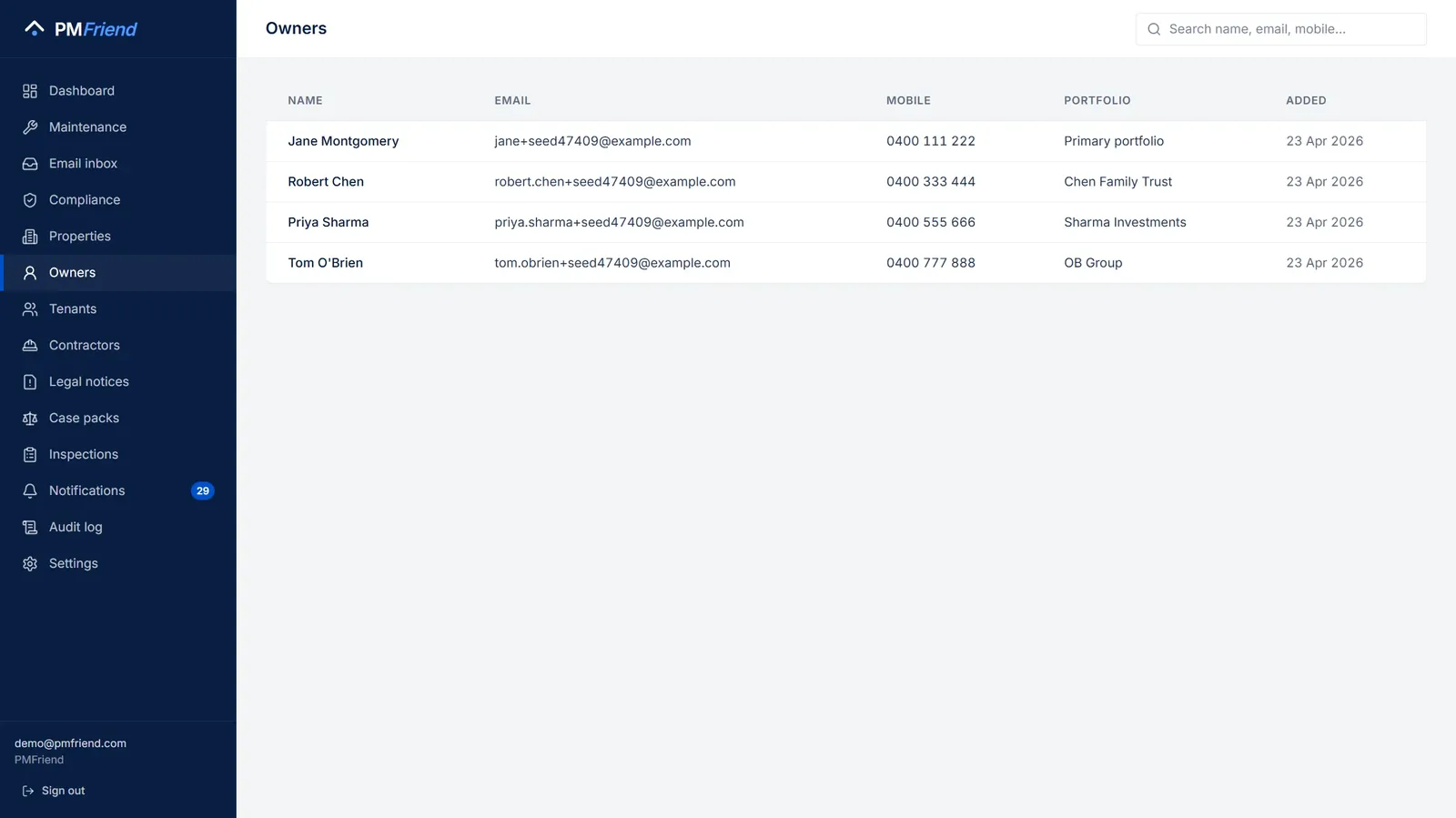 Where to find it: sidebar → Owners. Each owner's properties, approval thresholds, and the digests they've been sent.
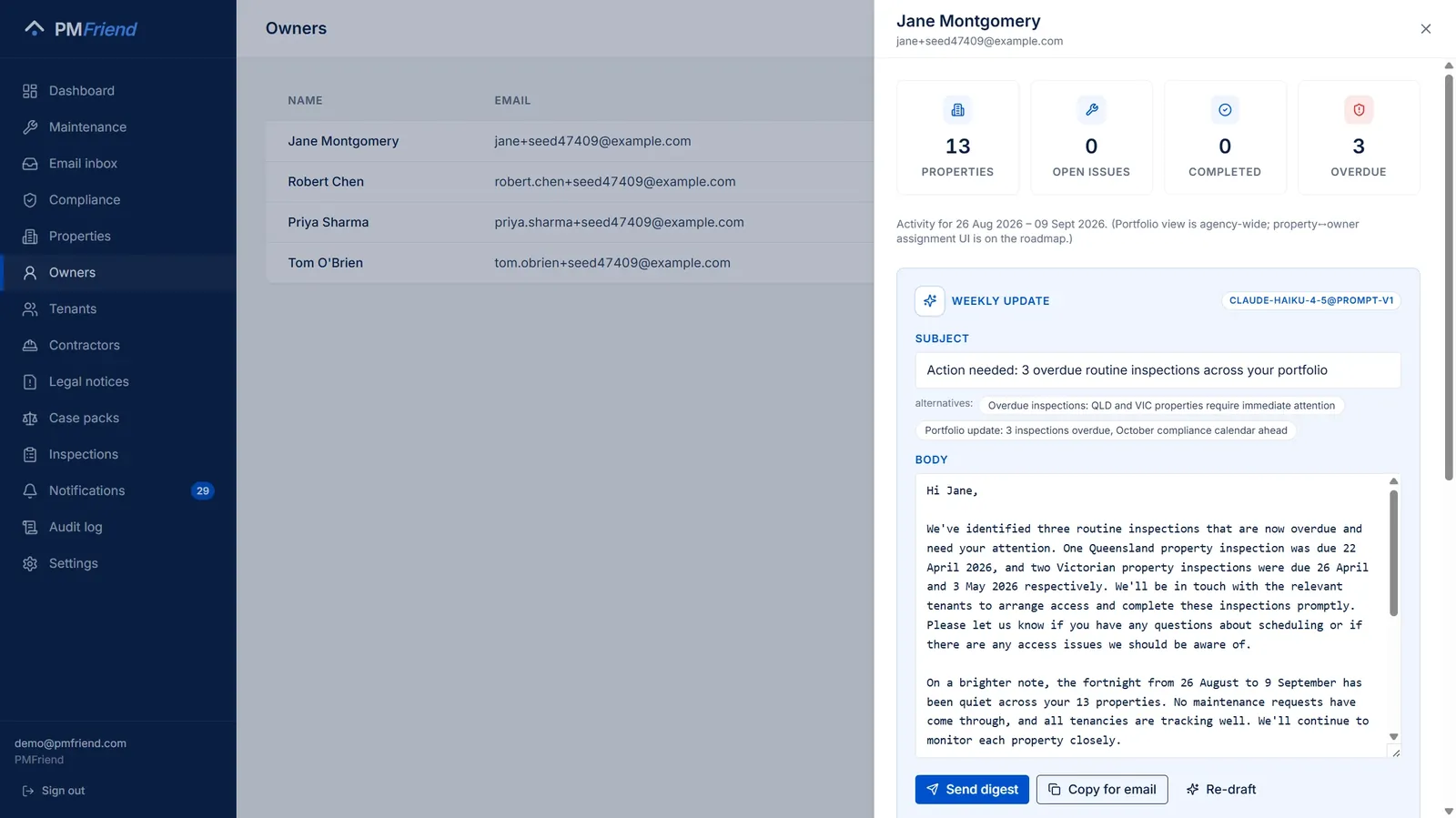 Open an owner → Draft weekly update: the AI writes the update from the fortnight's real activity — overdue items first, honest "quiet fortnight" when it was quiet, upcoming compliance ahead. You edit, then send; nothing goes out untouched.
Not happy with the draft? Click Re-draft — it thinks harder. The second draft runs on a stronger AI model, the same way Resuggest does on a maintenance request. The label on the draft shows which model wrote it.
Who owns this property? Every property page shows its owners under Ownership structure: the name, their share (or Sole owner), who is the primary contact, and their email and mobile, one click away. The properties import fills it from the owner columns. Click an owner's name to open them on the Owners page.
The before-and-after
Before PMFriend
Sarah's owner Maria has 8 properties. Maria emails: "What's been happening at 23 Beach Rd? Haven't heard anything in 6 weeks." Sarah scrambles, spends 25 minutes piecing together a reply. The reply is rushed. Three weeks later Maria emails again, same question, different property. Total time per owner per year: ~6 hours, all reactive.
After PMFriend
Every Wednesday morning Sarah goes to Owners and sees 12 owners due for a fortnightly digest. For each, the AI has already drafted a 1-paragraph update from the actual property activity. Sarah reads, edits the bits that don't sound like her, clicks Send. Total time per owner per year: ~30 minutes, all proactive.
What's in a digest
Each digest covers the past 14 days at the owner's properties:
- Maintenance activity — what was reported, what got fixed
- Compliance — anything overdue or coming up
- Costs — total spend in the period, by property
- Inspections — last date + headline finding
- Forward look — what's on the agenda for the next fortnight
Written in your agency's voice, in a tone that matches a working PM (warm, businesslike, not robotic): AU English for Australian agencies, and for Qatar owners in Arabic, English, or both — see below.
How the AI drafts
The AI reads:
- Maintenance requests + work orders
- Compliance task status
- Inspection reports
- Costs charged to the owner's account
- Free-text PM notes
It composes a draft specific to this owner about these properties — never generic mail-merge fluff. If nothing meaningful happened (some weeks are quiet), the draft says so honestly.
Digests in Arabic
Many Qatar owners read Arabic first; many others live abroad and read English. Next to Draft weekly update there is a Language choice:
- العربية · Arabic — formal Modern Standard Arabic, the register of Gulf business letters. Qatar agencies start on Arabic.
- English — as before.
- العربية + English — the full Arabic version first, then the same update in English, separated by a line. One email, both readers.
Amounts appear in your agency's currency, for example QAR 1,250.00. Building names stay exactly as you entered them. The email lays Arabic paragraphs out right to left automatically. As with every digest, you read and edit the draft before anything is sent — and if Arabic isn't your first language, have a colleague glance at it before the first few go out.
The human-in-the-loop rule
Every digest is reviewed by a property manager before sending. Always. Without exception. This is a hard product rule, not a configurable setting.
Why? Trust + liability. Owners must know that everything in their inbox came from their PM. The AI never sends.
Owner approval: one tap
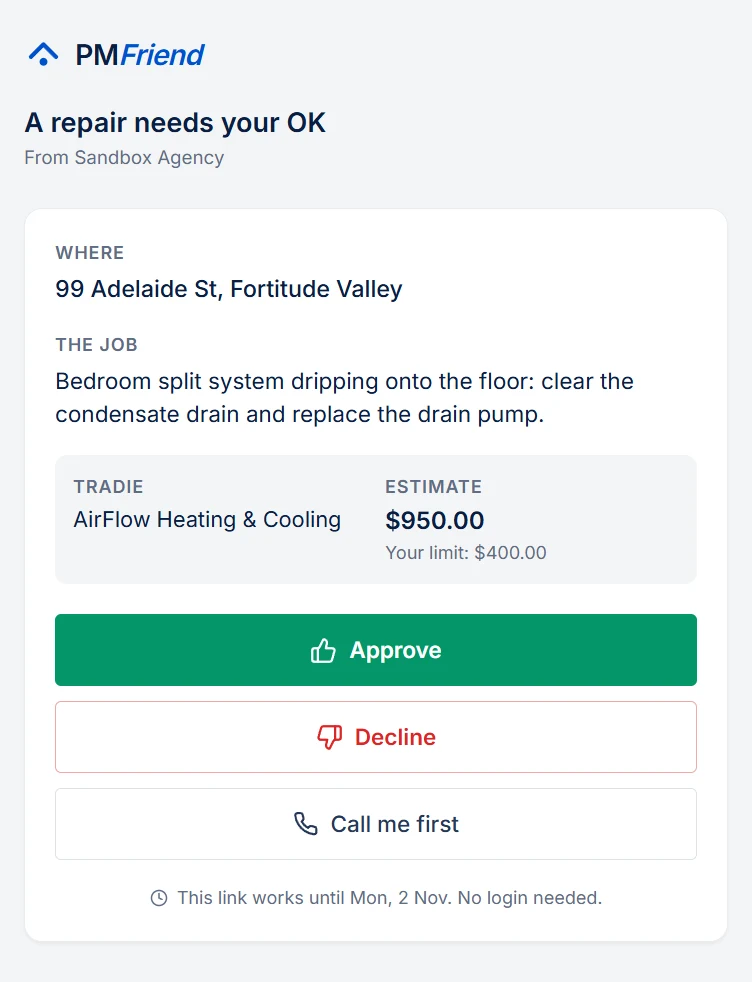
When the estimate for a repair is above the property's owner-approval limit, nothing goes to the tradie yet. Instead the owner gets an e-mail with one button. It opens a page (no login, works on a phone) that shows:
- the address and what needs doing;
- the tenant's photos (the ones you chose to share with contractors);
- the tradie and the estimate, next to their limit.
The owner then picks one of three answers:
- Approve. The job goes to the tradie straight away, on WhatsApp, and you get a notification. Nobody has to be at a desk.
- Decline, with a note if they like ("please get a second quote first"). The job comes back to you as a draft with their note.
- Call me first. You get a notification to ring them; the question stays open.
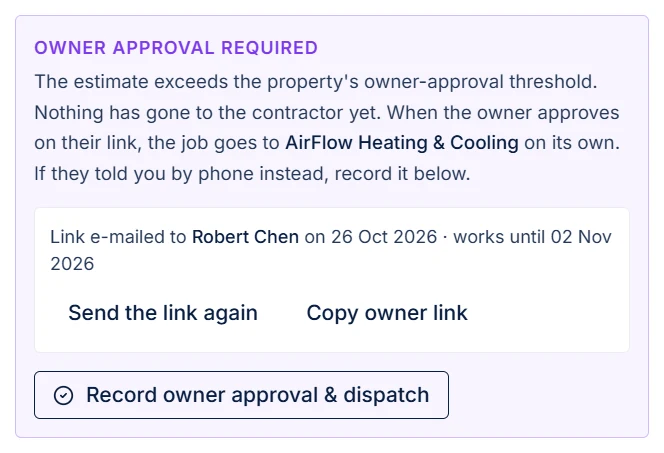
If the owner hasn't answered after 24 hours, PMFriend sends them one reminder and flags the job for you. The link works for 7 days. After that, Send a new link on the job starts a fresh one. If the owner tells you by phone instead, Record owner approval & dispatch still works, and the link then stops offering buttons.
Urgent jobs don't wait. For an urgent or emergency request you can tick "send it now and tell the owner". The tradie goes straight away and the owner gets an e-mail saying the job went ahead and why.
Every answer is stamped with the date and time on the job, so you can always show who approved what and when.
💡 Real-life example: A hot-water system at 12 Ocean St fails on a Saturday. The replacement quote is $1,200, and the owner's limit is $500. Sarah assigns Harbour Plumbing. Priya, the owner, gets the e-mail, sees the photos and the quote on her phone, and taps Approve from the beach. The plumber has the job on WhatsApp a minute later, and Sarah sees "Owner approved" on Monday morning.
On the job, you see who the link went to, when it expires, and whether the owner asked for a call. From there you can send the link again or copy it (for an owner with no e-mail on file):
Several quotes: the owner chooses
Some owners want to see more than one price before they say yes ("please get a second quote first"). When you have several quotes, let the owner choose instead of picking a tradie yourself:
-
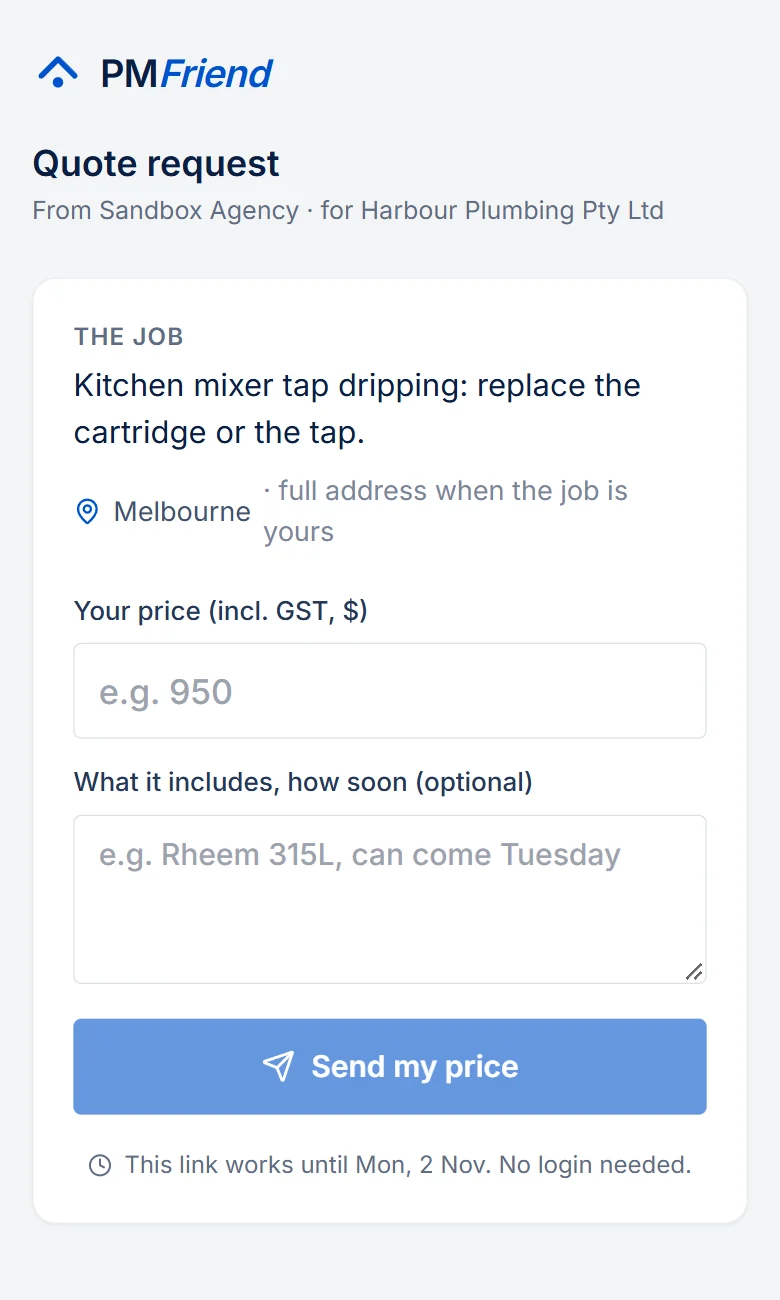
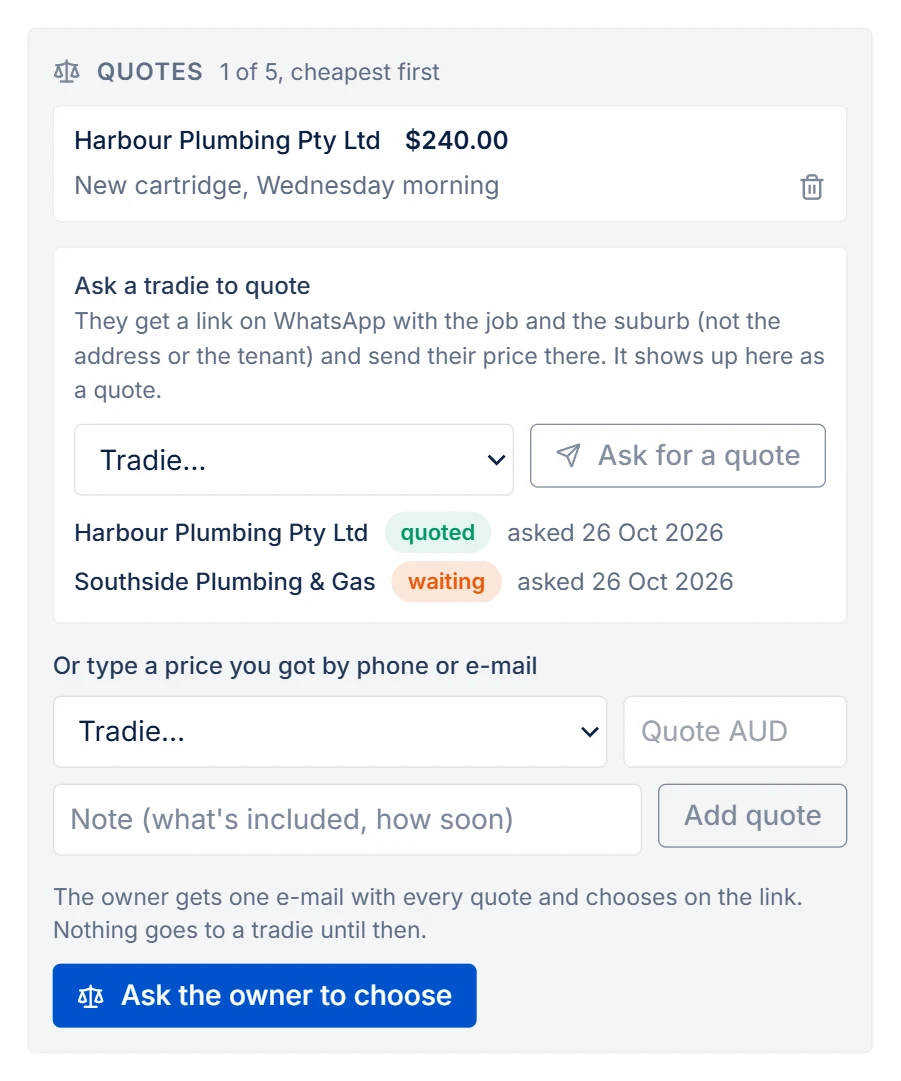
Open the draft job. Under Quotes → Ask a tradie to quote, pick a tradie and click Ask for a quote. They get a WhatsApp from your number with a link: the job, the suburb and the photos you shared with contractors (never the tenant or the full address). They type their price and a note there, with no login, and it appears on the job as a quote. You see who is waiting and who has quoted, and get a notification for each price. If WhatsApp can't reach a tradie, copy the link and send it yourself. A price you got by phone or e-mail you type in yourself: pick the tradie, the price and a short note ("Rheem 315L, can come Tuesday"). One quote per tradie: a new price from the same tradie replaces the old one. Up to five.
-
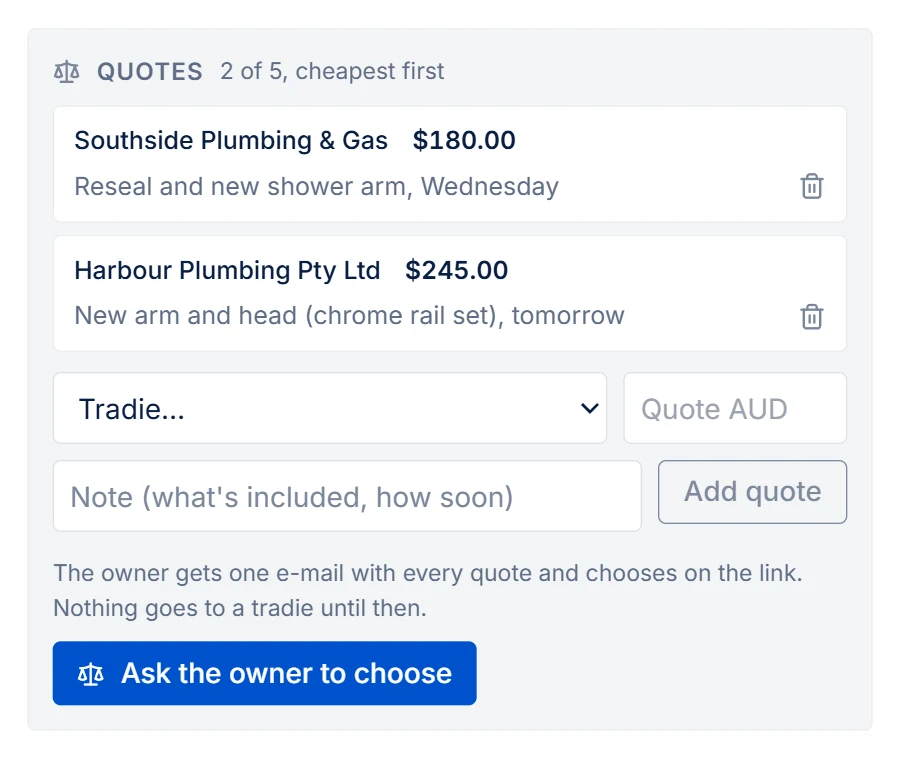
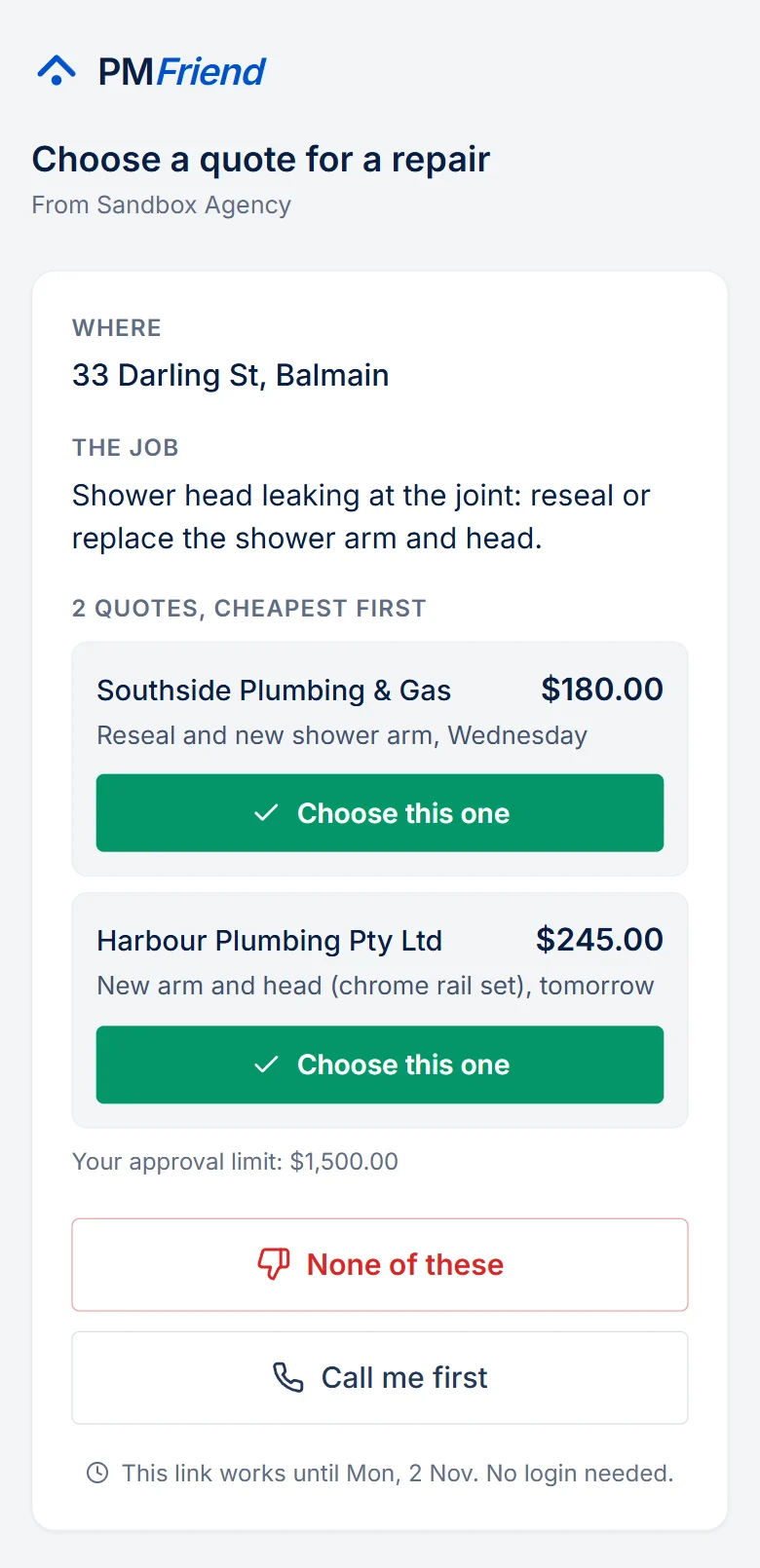
Click Ask the owner to choose. The owner gets one e-mail listing every quote, cheapest first, and the same no-login page. Nothing goes to any tradie yet.
-
The owner taps Choose this one on the quote they want. The job goes to that tradie straight away, on WhatsApp, and you get a notification ("Owner chose Harbour Plumbing"). Or they tap None of these, with a note, and the job comes back to you as a draft with all its quotes, ready for another round.
If the owner tells you their choice by phone, click Owner chose this next to that quote on the job. The reminder after 24 hours, the 7-day link, Call me first and Send the link again work exactly as above.
After the job is dispatched, the quotes stay on it, with the chosen one marked, so you can always show what the owner was offered and what they picked.
💡 Real-life example: Priya's hot-water system needs replacing. Sarah gets two prices: Harbour Plumbing at $1,200 (can come Tuesday) and Northside Plumbing at $950. She adds both and asks Priya to choose. Priya picks Harbour Plumbing because Tuesday suits the tenant, and adds "Tuesday morning please". Harbour Plumbing has the job on WhatsApp a minute later.
The price goes up on site
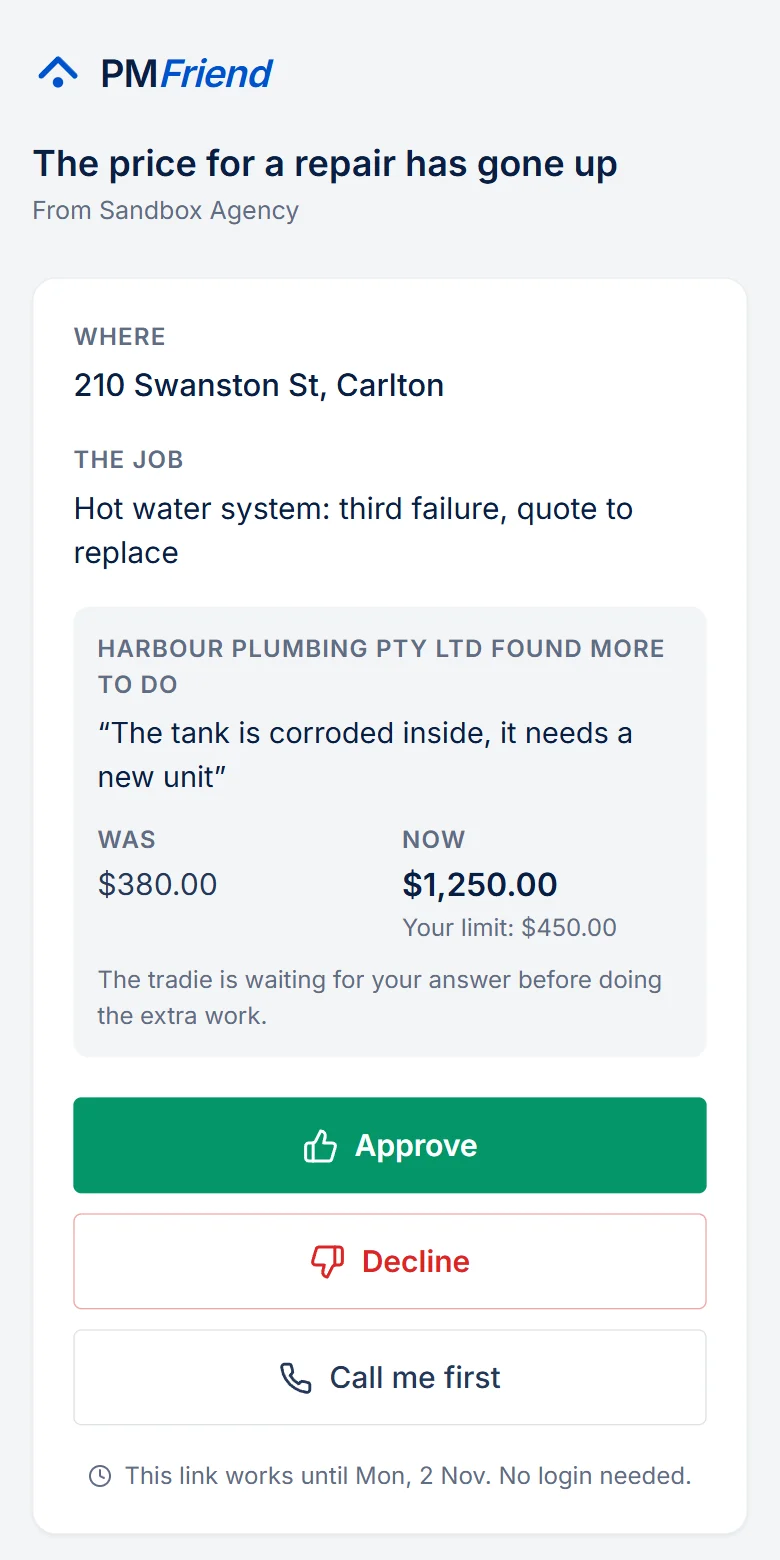
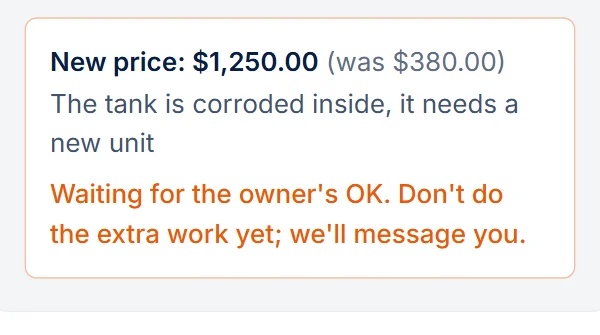
Sometimes the tradie opens the wall and finds more: a corroded tank, a second leak. On their job link they tap The price has gone up, type the new total and what changed.
- Within the owner's limit (or no limit set): it goes ahead, as it would have at dispatch. You get a notification with the new price and the reason, and it is recorded on the job.
- Over the owner's limit: the owner gets the same no-login link again, now showing was / now / why. They approve, decline or ask you to call. The tradie hears the answer on WhatsApp: go ahead or do only the work already approved. Until then their job page says to wait before doing the extra work.
The job stays with the tradie either way: a declined increase doesn't send the job back to the drafts. If the owner tells you by phone, click Owner approved or Owner declined under Price going up on the job. Every change stays on the job with who decided and when.
💡 Real-life example: The plumber approved at $500 for a new valve finds the hot-water tank corroded: $1,200 for a new unit. He enters it on his phone. Priya, the owner, gets "The price for a repair at 12 Ocean St has gone up", sees $500 → $1,200 and his reason, and approves. The plumber gets "Go ahead" a minute later.
Sending mechanism
Send digest emails the owner directly from PMFriend (DKIM-signed) and keeps a copy in that owner's history, including which language went out. Prefer your own mail client? Copy for email puts the subject and body on your clipboard instead.