Residents' cases: noise, parking, questions
"Villa 7 plays music every night" and "someone parks in my bay" used to sit in the inbox as messages, with nobody owning them. Now each is a case with a name on it and a date, the resident can see where it's up to without calling, and a late one comes up on your inbox before the resident chases you.
Not everything residents raise is a repair. A case is for the rest: noise, parking, a neighbour, a question, a complaint, or other. Nothing is sent to a contractor; a repair stays a maintenance request.
From a message, in one step
When the AI finds no repair in a resident's message, the Inbox marks it Question, not a repair. Open it and press Make it a case:
- Pick what it's about (noise, parking, and so on) and give it a short title. The place comes from the resident's home.
- Choose who looks after it, and the date to answer by (three days from today unless you change it).
- Press Open the case and tell them.
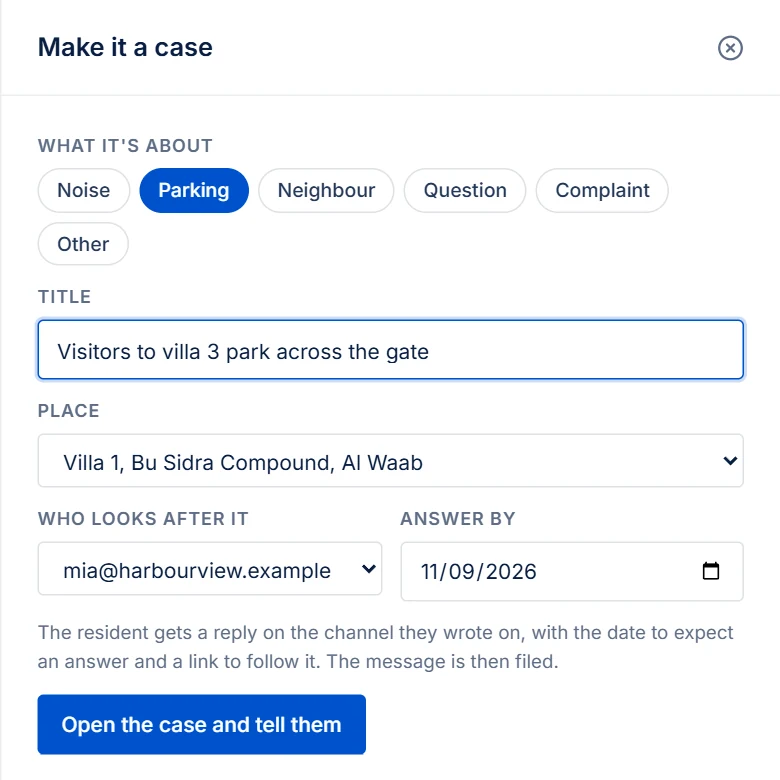
The resident gets a reply on the channel they wrote on, WhatsApp or e-mail: thank you, it's logged, and when to expect an answer, with a link to follow it. If they wrote in Arabic (or another language), the reply is in their language, with the English below it. The message is then filed, and the case keeps it. If the reply can't go (a WhatsApp conversation older than 24 hours, for example), the case still opens, and PMFriend shows the link for you to send another way.
A case can also be opened by hand, for a phone call or a word at the front desk: Cases → New case.
Looking after it
Cases lists them with who has each one and the date to answer by. Open shows what's still with you, late ones first.
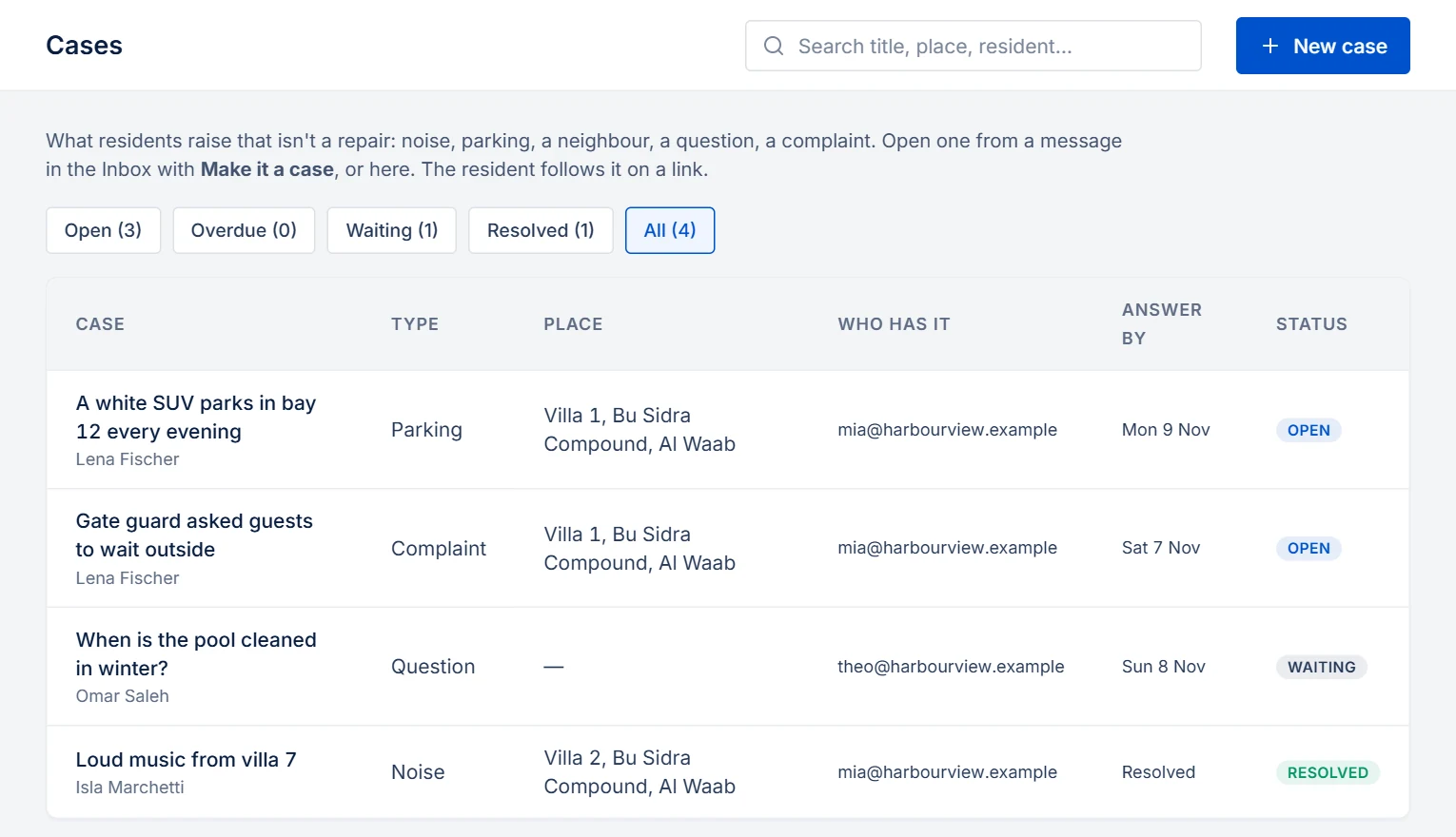
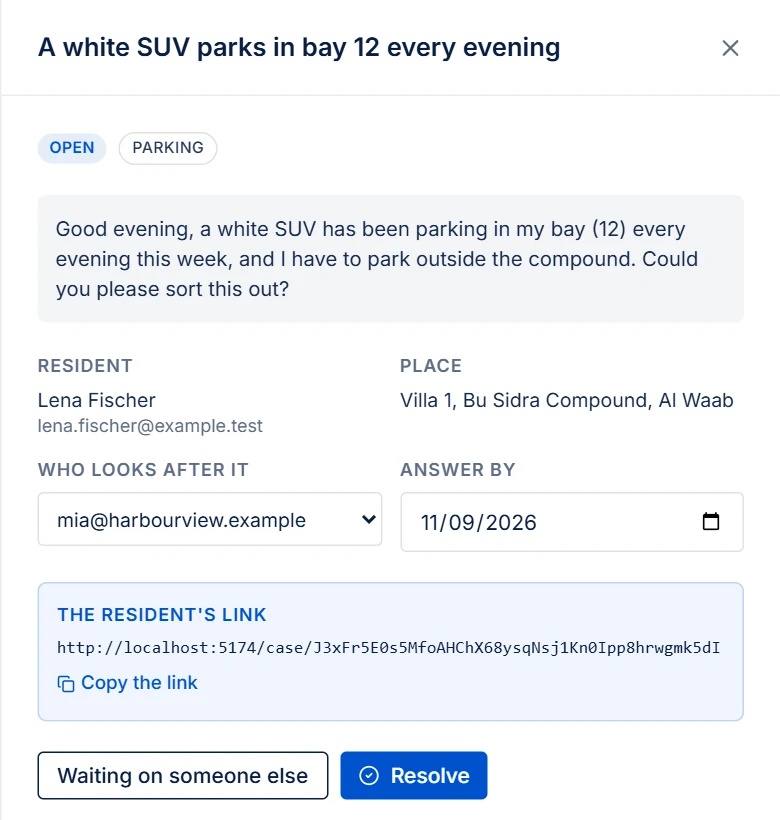
Open a case to:
- change who looks after it or the date (the timeline notes both);
- mark it Waiting on someone else (the resident, the building, a neighbour), and Back with us when it returns;
- add notes. A note stays inside the agency unless you tick Show it on the resident's link;
- Resolve it with what was done. The resident sees that sentence; reopening it later clears it.
A case past its date, and not resolved, comes up on the Attention Inbox with who has it.
What the resident sees
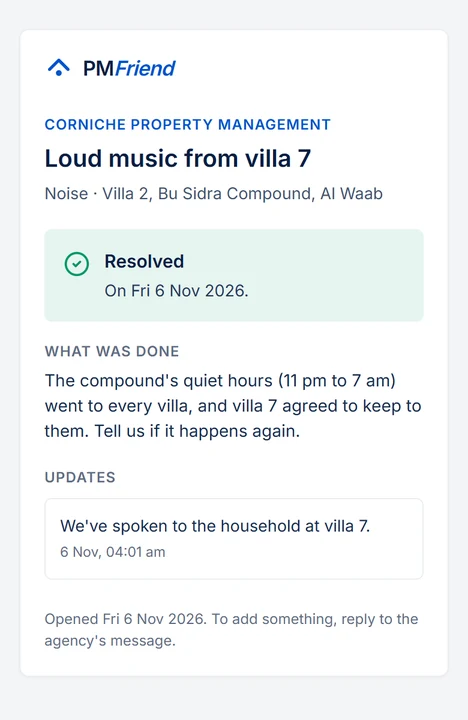
Their link shows the case, whether you're on it, waiting on someone else or done, the date to expect an answer, the notes you shared and, at the end, what was done. No names from the agency, no login.
In the monthly report
The monthly report counts them: cases opened in the month by type, resolved, still open at the month's end and how many of those are past their date.
💡 Real-life example: A resident at Bu Sidra Compound writes on WhatsApp at 9 pm that a white SUV parks in her bay every evening. In the morning the PM makes it a case (parking, answer by Monday) and gives it to the compound manager. She gets a reply at once with a link. On Sunday the manager adds a shared note, "The car belongs to villa 3's visitors; we've spoken to them." On Monday he resolves it, and she reads what was done without calling the office.
For Qatar: compounds and towers have the most of these (parking bays, noise, the gate, the pool's hours), and the resident's reply goes out on WhatsApp, the channel they used. For Australia: the same, mostly for apartments: noise, a car space, the building's rules.