Keys: who has which, and when it comes back
"Who has the key to Villa 18?" gets answered with one search instead of three phone calls. The register follows the tradie's own taps on their job link, so nobody updates it twice, and a key that's late comes up on your inbox until it's back.
Each property's keys
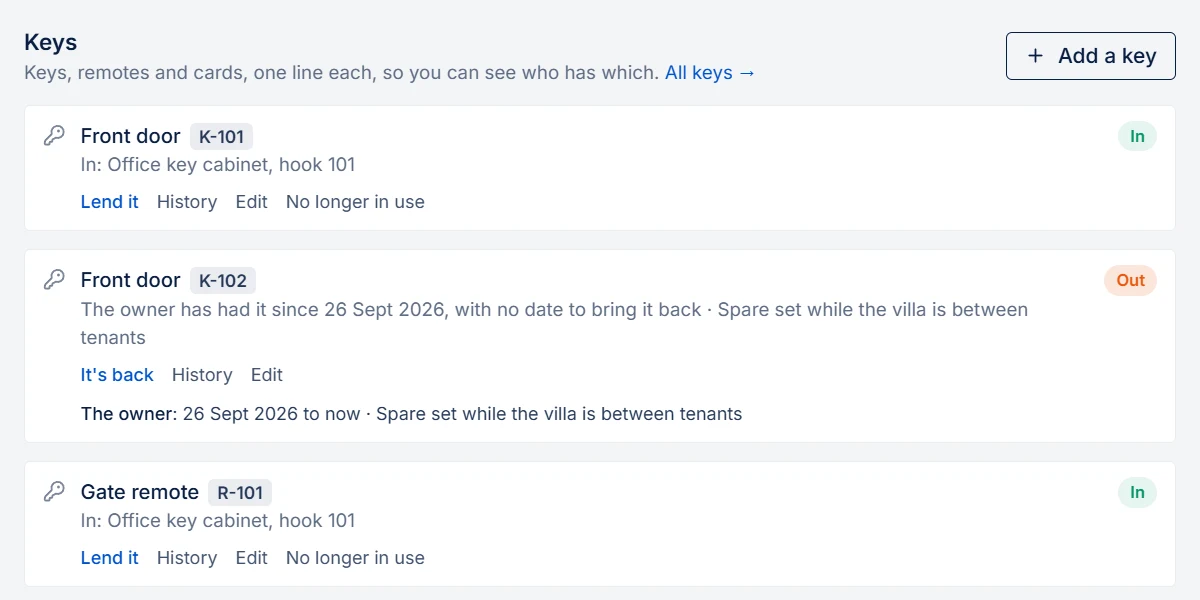
Open a property, go to the Keys tab, and Add a key: what it is (front door, garage remote, access card), the number on its tag, and where it's kept ("Office key cabinet, hook 12"). Two front-door keys are two lines, because each can be with someone else.
Put a number on the tag, never the address: a lost key shouldn't say where it fits. PMFriend keeps each tag number to one key in use, so two keys can't end up with the same number.
Lend a key
Lend it gives it to one of your contractors, or to anyone else (the cleaner, the owner, the tenant), with the date it should be back and a note if you like. Leave the date empty for someone who keeps it, like the tenant or the owner: it never goes overdue. Press It's back when it's in.
A key someone has can't be lent again, or taken for a job, until it's back.
A key for a job
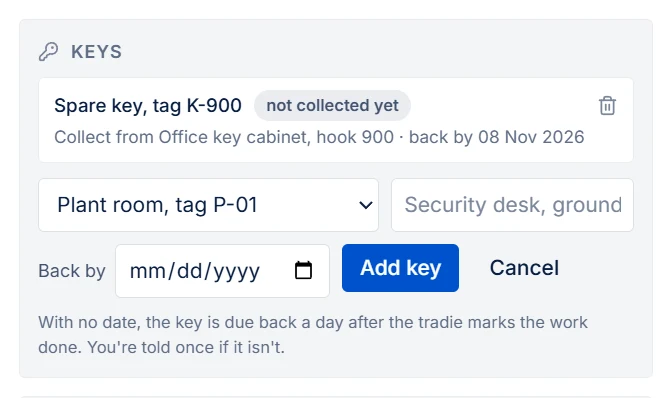
On the job card, under Keys → Add a key, pick it from the property's keys. Its name and where it's kept fill in, and the tradie reads where to collect it in their WhatsApp message and on their job link. The register says it's taken for that job. When the tradie presses I've collected the key, the register shows they have it; when they press I've returned the key, it's back. You can still type a key that isn't in the register, as before: Keys on a job →
All keys
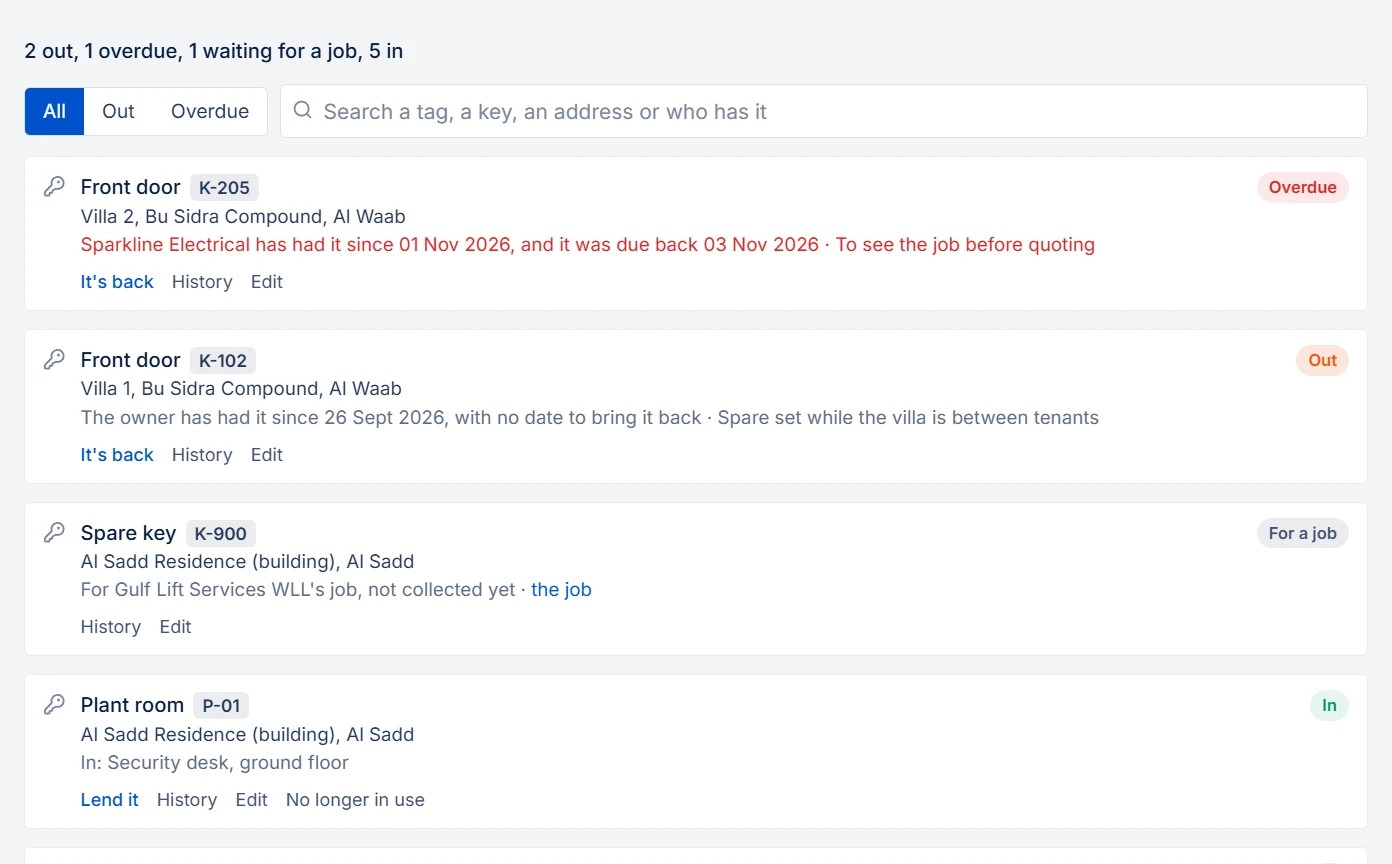
Keys in the menu shows every key: overdue first, then what's out, what's waiting for a job, and what's in. Search by tag, key, address or who has it. A key typed on a job without the register shows here too, while the tradie has it.
When a key is late
- It comes up on your Attention inbox with who has it and since when, and stays there until it's back.
- You get one notification.
- A contractor who has it gets one reminder, in working hours on your clock. A tradie with a job gets their job link, where they press I've returned the key. Switch it under Settings → Automatic chasers → Keys not returned. It's on for new agencies; agencies that were here before it arrived start with it off.
- Someone who isn't one of your contractors has no contact in PMFriend, so the reminder is yours to give.
History
Each key keeps everyone who had it, by hand and on jobs, with the dates. No longer in use (lost, locks changed, handed to the owner) keeps the key and its history, and frees its tag number for a new key.
Ask your portfolio
In ChatGPT or Claude, ask "Who has keys out?": the connector lists every key with someone, whether it's overdue, and since when.
In Qatar
Towers and compounds keep their plant room, roof and lift machine room keys on the building's common areas, with the security desk as where they're kept. Access cards and gate remotes are keys like any other. A contractor with a job reads where to collect the key in their own language on the job link.
On the public sandbox
A few homes have their keys: one front-door key is with the owner, one is overdue with a contractor, and one is taken for the job behind the contractor demo link. Nothing is sent from the sandbox.